Points
- In the session, open the Points tab and tap a student.
- The student's points sheet opens: total and current BF points, points from each game and type, and the Points History.
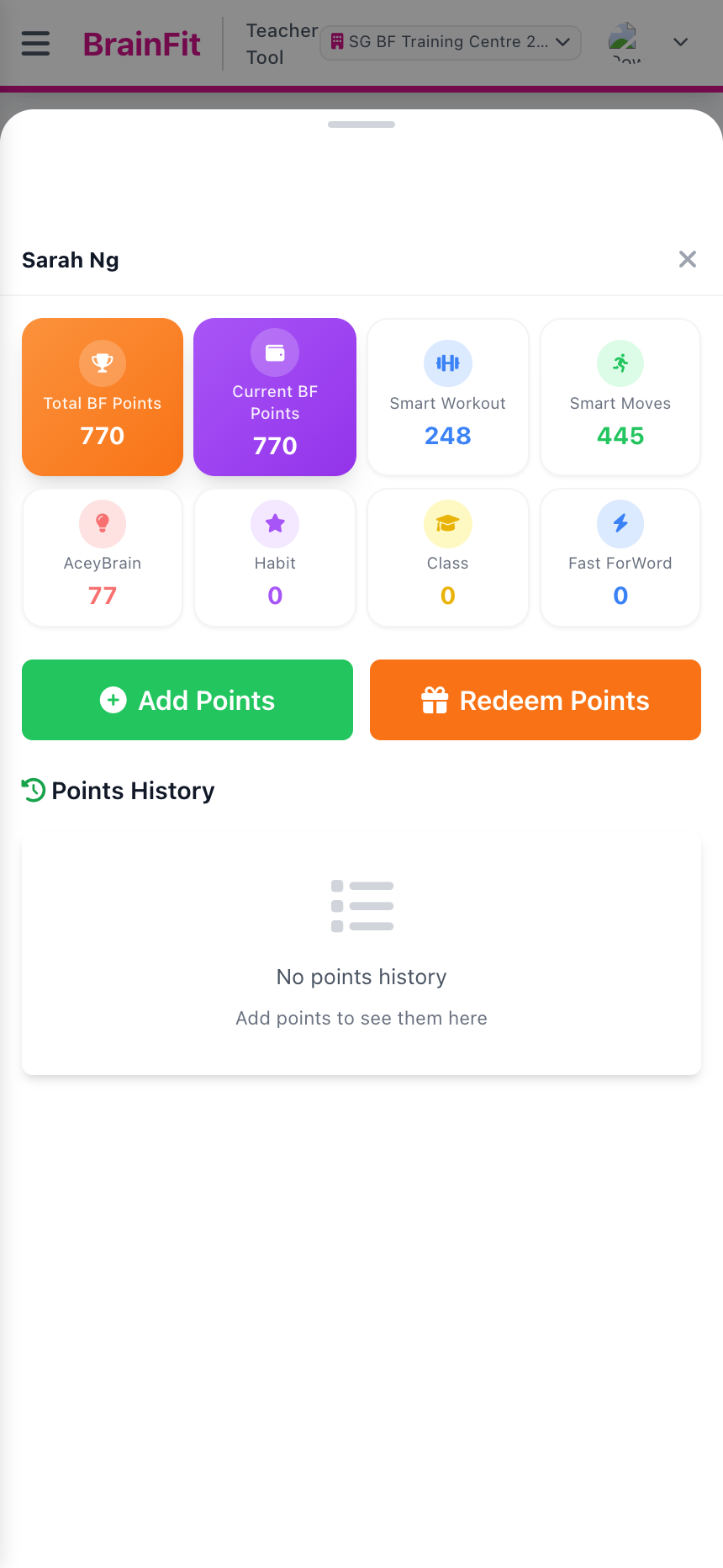
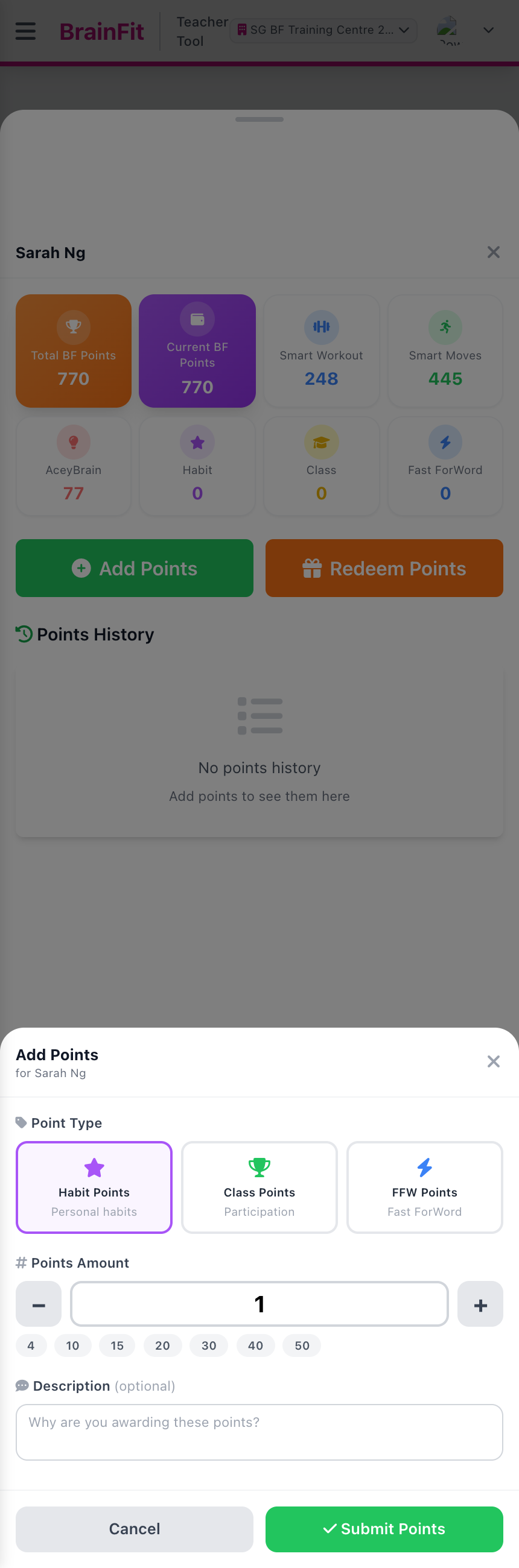
- Tap Add Points. Choose the Point Type (Habit, Class or FFW), set the amount with − / + or a quick number, add a description if you like, then tap Submit Points.
- To take points off for a reward, tap Redeem Points instead.
caution
Submit Points saves straight away to the student's real points. Check the student's name at the top of the sheet first.